How Smart Image Management Improves Digital Content and Website Performance
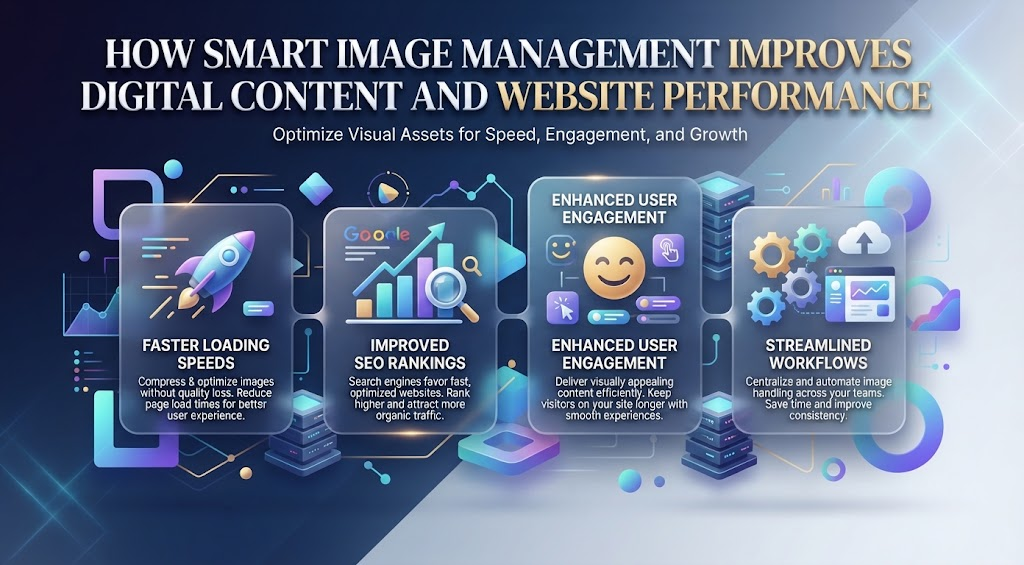
Images are a major part of digital content, but managing them well requires more than simply uploading attractive visuals. File size, format, dimensions, quality, accessibility, and compatibility all influence how images perform online. A strong image workflow can make websites faster, content easier to manage, and visual communication more consistent across different platforms.
Poor image management can create several problems. Oversized files may slow down pages, inconsistent formats can make editing more difficult, and low-quality compression can damage important details. These issues become more noticeable as a website grows and starts storing hundreds or thousands of images. A clear system helps teams avoid unnecessary files and maintain better control over visual assets.
Format flexibility is also useful because the best format for publishing is not always the best format for editing or sharing. WebP can be efficient for websites, while JPG remains convenient for many other platforms and tools. When a different version is needed, a WebP to JPG tool can make conversion easier and keep the image practical for different workflows.
Start With the Right Image Format
Image format affects file size, quality, and compatibility.
JPG is widely used for photography because it can reduce file size significantly.
PNG is useful for images that need transparency or very sharp details.
WebP offers efficient compression and works well for modern websites.
AVIF is another option for performance-focused projects.
There is no single format that is best for every image.
The right choice depends on the content and where it will be used.
Avoid Uploading Oversized Images
One of the most common image management mistakes is uploading files that are much larger than necessary.
A website may display an image at 1,000 pixels wide while the uploaded file is 5,000 pixels wide.
That extra resolution usually provides no visible benefit.
It only increases the amount of data the browser has to download.
Resizing the image before uploading can reduce file size dramatically.
This is especially useful for blogs, product pages, and landing pages that contain multiple visuals.
Compression Helps Reduce Page Weight
Compression is another important part of image management.
It reduces the amount of data stored in the image.
Lossy compression removes some information to create smaller files.
Lossless compression keeps the original information while still reducing size.
Photographs can often use moderate lossy compression without a noticeable difference.
Logos, screenshots, and diagrams may require more careful settings.
The goal is always balance.
Images should remain clear while avoiding unnecessary file weight.
Keep High-Quality Originals
Optimized website images should not replace the original source files.
A compressed image may work perfectly online but may not be suitable for future editing, print, or larger layouts.
Keeping high-quality originals provides flexibility.
A new version can always be created later.
This also prevents repeated compression.
If a JPG is saved again and again, quality may gradually decrease.
Starting from the original file helps preserve detail.
Create a Consistent Folder System
Good image management also depends on organization.
Large projects can quickly become confusing if files are stored randomly.
A consistent folder system can separate images by:
Project.
Client.
Campaign.
Website section.
Content type.
Date.
This makes assets easier to find.
It also reduces the chance of uploading the wrong version.
A simple organization system can save significant time as the image library grows.
Use Clear File Names
Descriptive file names are easier to manage than random camera or export names.
A file such as homepage-product-banner.jpg is easier to recognize than IMG_5834.jpg.
Clear naming helps teams identify files without opening every image.
It can also make replacements easier.
If a website needs an updated product image, a logical naming system makes it easier to locate the correct asset.
File names should be concise and descriptive.
There is no need to make them unnecessarily long.
Responsive Images Improve Performance
Different devices need different image sizes.
A desktop screen may require a larger image.
A phone usually does not.
Responsive image techniques allow websites to deliver the most appropriate version based on screen size.
This helps reduce unnecessary data usage.
Mobile visitors can receive smaller files.
Desktop users can receive higher-resolution versions when needed.
Responsive delivery is especially valuable for ecommerce, publishing, and portfolio websites.
Lazy Loading Makes Long Pages Faster
A long webpage may contain many images, but only a few are visible when the page first opens.
Lazy loading delays off-screen images until the visitor scrolls closer to them.
This allows the browser to prioritize visible content.
The page can become usable more quickly.
This is useful for:
Blog articles.
Image galleries.
Product listings.
Portfolio pages.
News sites.
Lazy loading does not replace compression, but the two techniques work well together.
Image Quality Should Match Importance
Not every image needs the same quality level.
A large hero image may require more detail because it dominates the page.
A small thumbnail can usually tolerate stronger compression.
A technical diagram needs enough clarity for text and labels.
A decorative background may not need maximum quality.
Thinking about importance helps teams avoid using one compression setting for every visual.
Image optimization works best when it reflects the actual purpose of the file.
Product Images Need Special Attention
Product photography plays a major role in ecommerce.
Customers use images to examine:
Color.
Texture.
Shape.
Details.
Features.
Compressing these files too much may hide important information.
At the same time, product pages often contain several images, so very large files can slow the entire page.
A practical approach is to use optimized preview images and provide larger versions for zooming.
This creates a better balance between speed and detail.
Screenshots Need Sharp Edges
Screenshots have different requirements from photographs.
They often contain text, buttons, menus, and icons.
Heavy lossy compression can make these details blurry.
This is a problem for tutorials and technical documentation.
If users cannot clearly read the interface, the screenshot becomes less useful.
PNG or carefully optimized WebP may work better for this type of image.
The correct format depends on how much detail needs to be preserved.
Image Management Supports Brand Consistency
A well-organized image library also helps maintain consistent branding.
Teams can store approved versions of:
Logos.
Product images.
Brand graphics.
Campaign visuals.
Backgrounds.
Icons.
This reduces the risk of someone using an outdated logo or incorrect design.
Centralized assets make it easier for different departments to work from the same visual system.
Consistency helps a brand look more professional across websites, social media, presentations, and marketing materials.
Avoid Duplicate Files
Duplicate images can create unnecessary storage and confusion.
A team may end up with several files named:
banner-final.jpg
banner-final2.jpg
banner-final-new.jpg
banner-final-approved.jpg
This makes it difficult to know which version is correct.
A better system is to keep clear source files and approved exports.
Old versions can be archived when necessary.
Reducing duplicates makes image libraries easier to search and maintain.
Conversion Helps With Compatibility
Image conversion is useful when different tools require different file types.
A website may publish WebP files, while a client presentation may require JPG.
A transparent graphic may need PNG.
An older platform may not accept a newer format.
Converting files allows the same visual to be reused in different environments.
However, conversion should be intentional.
Switching formats repeatedly can reduce quality or remove features such as transparency.
Always keep the original file available.
Metadata Can Be Reviewed
Images may contain hidden metadata.
This can include:
Camera information.
Creation date.
Editing software.
Copyright details.
Location data.
Some metadata is useful.
Other information may not need to be published online.
Removing unnecessary metadata can slightly reduce file size and help protect information that should remain private.
Many optimization tools handle this automatically.
Still, organizations should understand what information their files contain.
Alt Text Should Be Part of the Workflow
Image management is not only about performance.
Accessibility matters too.
Alt text helps screen readers explain meaningful images to users who cannot see them clearly.
This is especially important for:
Charts.
Product images.
Diagrams.
Informational graphics.
Alt text should describe the important purpose of the visual rather than simply repeat the file name.
Building accessibility into the image workflow makes it less likely to be forgotten later.
Content Delivery Networks Can Help
A content delivery network, or CDN, stores files across multiple locations.
When someone visits a website, images can be delivered from a server closer to them.
This may reduce loading time.
CDNs are particularly useful for websites with visitors from different countries.
Some services can also resize and compress images automatically.
This reduces manual work.
However, important visual assets should still be reviewed occasionally to make sure automated processing has not reduced quality too much.
Image Management Can Support SEO
Well-managed images can indirectly support search performance.
Smaller image files can improve page speed.
Alt text can provide useful context.
Descriptive file names can make asset organization clearer.
Responsive delivery can improve mobile usability.
However, image management is only one part of SEO.
Content relevance, site structure, technical performance, and user experience all matter.
Images should support the overall quality of the page rather than being treated as a separate trick for rankings.
Social Media Needs Different Image Versions
Websites are not the only place images are used.
The same visual may need to appear on several social platforms.
Each platform may have different size recommendations.
Some may crop images differently.
Others may compress uploads.
This is why it is useful to keep flexible source files.
Instead of forcing one version to work everywhere, teams can create platform-specific exports.
This usually produces better results.
Regular Audits Keep Libraries Clean
Image libraries grow over time.
Older files may become unnecessary.
Some images may be too large.
Others may use outdated formats.
Regular audits can help identify:
Duplicate files.
Unused assets.
Oversized images.
Outdated branding.
Missing alt text.
Poorly compressed files.
Cleaning these issues periodically prevents the library from becoming difficult to manage.
It can also improve older pages without requiring major redesigns.
Automation Can Save Time
Large websites often use automated image processing.
A modern content management system may:
Resize uploads.
Create multiple responsive sizes.
Compress files.
Generate WebP versions.
Enable lazy loading.
This reduces repetitive work.
Automation is especially useful when many people upload content.
However, automation should not eliminate quality checks completely.
Hero images, product photos, and other important visuals may still need manual review.
Test Images on Multiple Devices
A well-managed image should work across different screen sizes.
A photo that looks sharp on mobile may reveal compression artifacts on a large monitor.
A graphic containing small text may be readable on desktop but difficult to understand on a phone.
Testing helps identify these problems.
Important pages should be reviewed on:
Phones.
Tablets.
Laptops.
Large desktop screens.
Different connection speeds.
This gives teams a more realistic view of the user experience.
Keep the Process Simple
An effective image workflow does not need to be complicated.
A practical system can follow these steps:
Choose the right format.
Resize the image.
Compress it appropriately.
Use a clear file name.
Add useful alt text.
Upload the optimized version.
Keep the original source file.
Organize it in the correct folder.
Simple systems are easier for teams to follow consistently.
Complex rules are often ignored.
Smart Image Management Saves Time
Good organization creates benefits beyond website speed.
It reduces repeated work.
Teams can find existing assets instead of recreating them.
Designers know which version is approved.
Editors can quickly locate images for older content.
Developers receive appropriately sized files.
Marketing teams can adapt visuals for different platforms.
These small efficiencies add up.
Smart image management becomes part of a smoother content production process.
Conclusion
Smart image management improves digital content by combining performance, organization, compatibility, and visual quality. Choosing appropriate formats, resizing oversized files, compressing carefully, using responsive delivery, and keeping high-quality originals can make websites faster and easier to maintain.
Good image management also supports brand consistency, accessibility, and more efficient collaboration.
The goal is not simply to reduce file size. It is to create a system where every image is easy to find, easy to reuse, technically appropriate, and visually strong.
When images are managed intentionally, digital content becomes faster, cleaner, more consistent, and easier to maintain over time.